How to Choose the Best Secret Photo Vault: What Makes Trustful Different
A founder's guide to choosing a Secret Photo Vault, with the privacy, encryption, organization, iCloud sync, and Apple-device decisions that make Trustful different.
Written by Maulik Sutariya
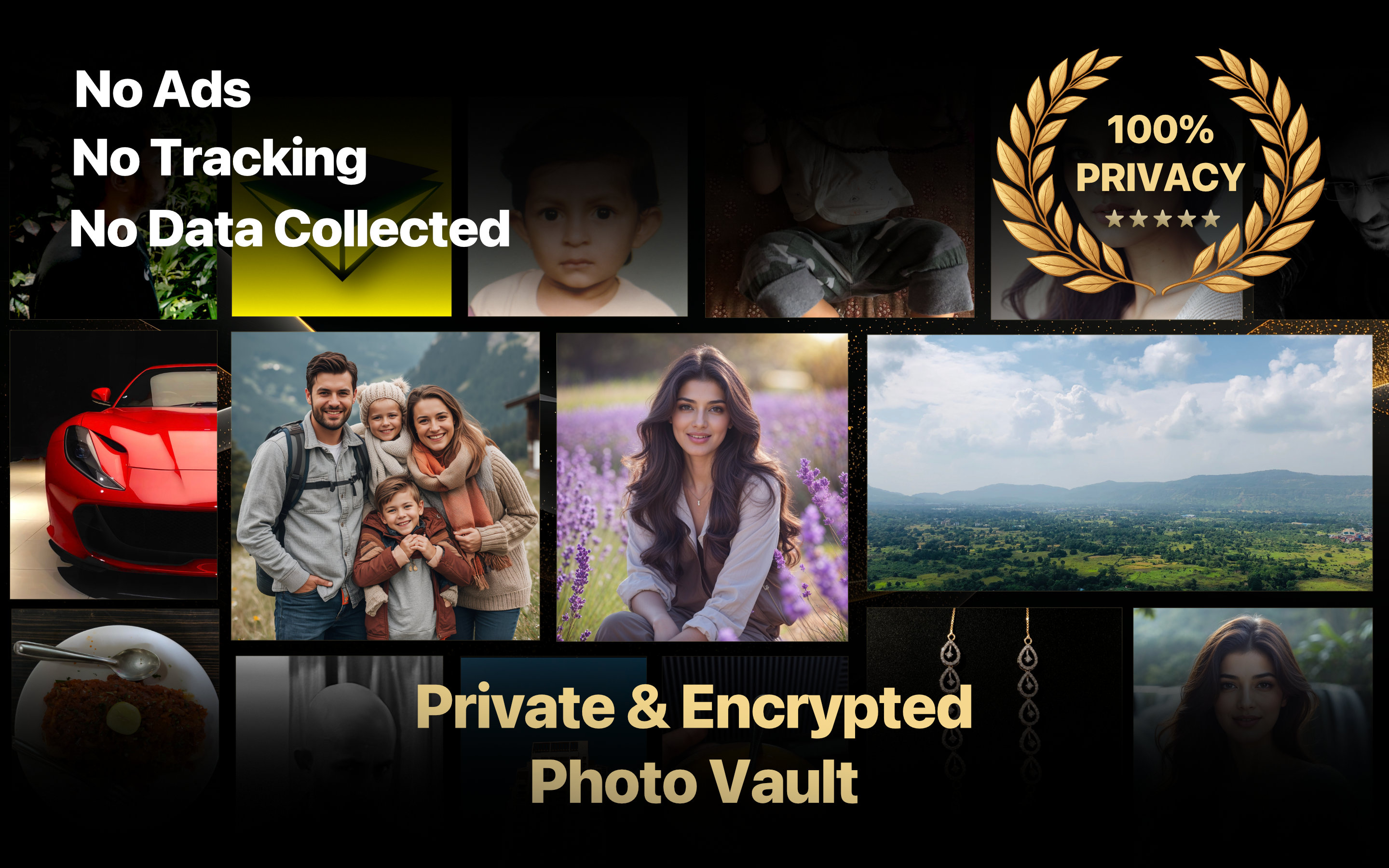
People often search for the best Secret Photo Vault, but “best” should mean more than the app with the longest feature list or the loudest promise. When personal photos, videos, and documents are involved, the right choice should be based on privacy, protection, reliability, organization, and how comfortably the app fits into everyday life.
I am Maulik Sutariya, the developer and designer of Trustful. I built it because I wanted a private place for personal media that did not ask people to trade away their privacy for convenience. This article explains the standards I believe a secure photo app should meet, the decisions behind Trustful, and who it is genuinely best suited for.
“Best” Depends On What You Need To Protect
There is no honest answer that makes one app perfect for every person. Someone who wants to hide a few occasional images has different needs from someone building an encrypted library of family photos, private videos, scanned documents, or personal records across several devices.
For me, a strong Secret Photo Vault should answer five important questions:
- Does the app respect your privacy beyond simply locking its screen?
- Are the actual photos and videos encrypted when they are stored?
- Can you organize and find media after the collection becomes large?
- Does secure access remain convenient across the devices you use?
- Is the product clear about who it is designed for and what it does?
Trustful is built around those questions rather than around a single “hide photos” button.
Privacy Should Be Part Of The Product, Not A Setting
A privacy app should collect as little information about its users as possible. Trustful does not collect user data, show ads, use analytics, or track activity. It also avoids third-party SDKs and frameworks so fewer outside systems are introduced into an experience meant for personal media.
This is an important distinction. A lock can prevent someone nearby from opening an app, but privacy also includes what happens behind the interface. No ads, no tracking, and no data collection are not decorative claims added at the end of development; they are part of how Trustful is designed.
That focus is also why the app remains calm and direct. You open Trustful to protect, view, and organize your media, not to move through advertising or unrelated engagement screens.
Encryption Matters More Than Hiding A Thumbnail
Moving a photo away from the main library can make it less visible, but visibility and protection are not the same thing. Trustful encrypts every stored photo and video locally using the secret key and master password. Media synchronized through iCloud also remains in encrypted form.
Photos and videos are decrypted live only after the app is unlocked. When Trustful moves to the background or closes, the stored media remains encrypted rather than being left as ordinary accessible files.
For people comparing secure photo storage apps, this is one of the most meaningful questions to ask: is the app only concealing the media, or is it protecting the stored files themselves?
Strong Security Still Needs To Feel Comfortable
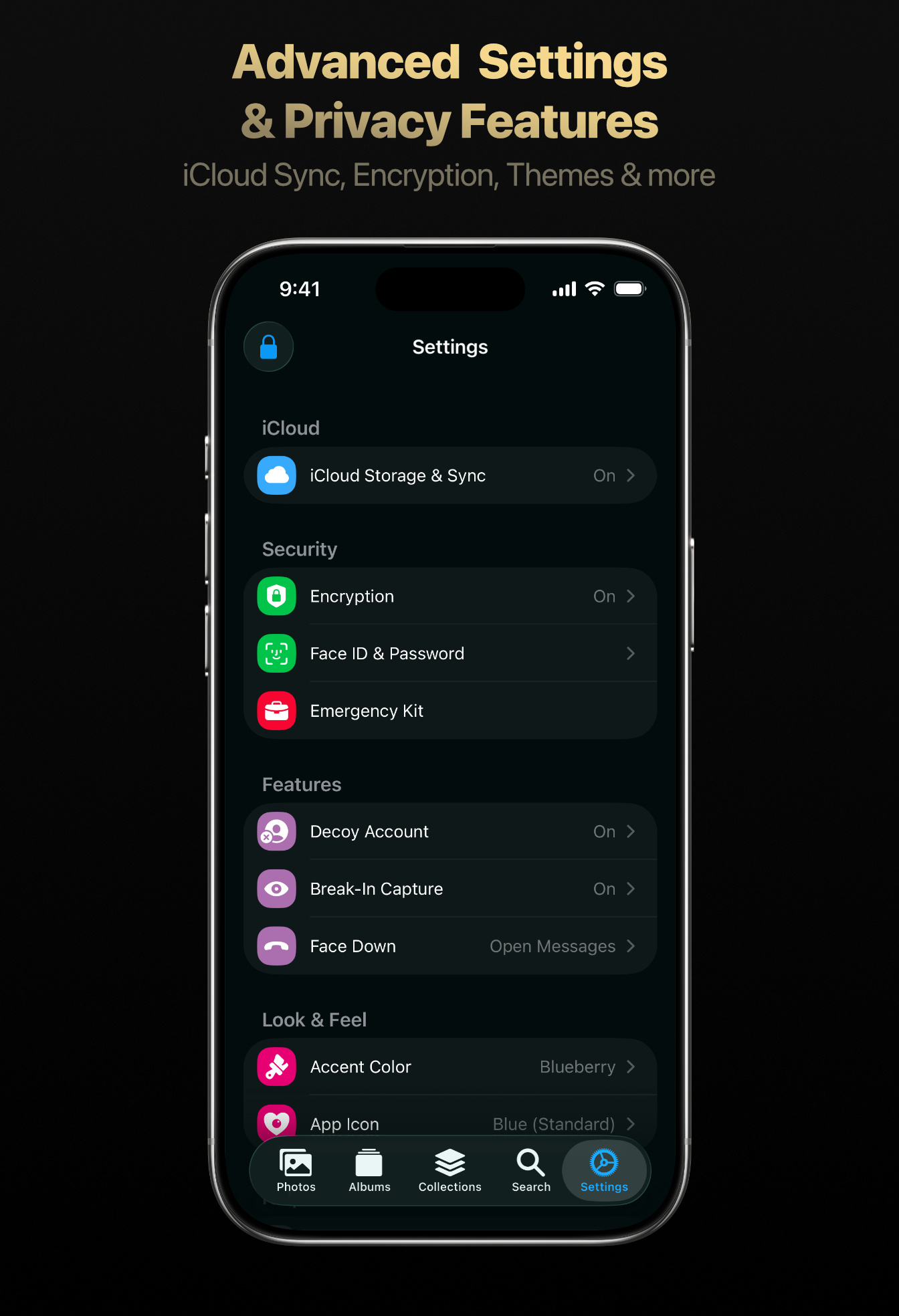
Protection is useful only when it is practical enough to use consistently. Trustful supports a master password and the biometrics available on your Apple device, including Face ID and Touch ID. That gives the vault a protected boundary without making every visit feel unnecessarily difficult.
Trustful also includes a decoy account. A separate fake PIN can open a different account instead of exposing the main collection. Intruder break-in captures and alerts help identify unsuccessful access attempts, while a Recently Deleted album allows accidentally removed photos and videos to be recovered for up to 30 days.
These features serve different situations, but they share the same purpose: security should reduce worry rather than create more of it.
Apple-Device Support Is A Deliberate Choice
Trustful is made for iPhone, iPad, and Mac. Instead of trying to provide a generic interface everywhere, it focuses on a thoughtful experience across the Apple devices people already use together.
Encrypted iCloud storage and synchronization help keep the same personal library available across those devices. A photo imported on one Apple device can remain available on another without abandoning the app’s encrypted storage model.
The larger Mac and iPad interfaces are useful for browsing and organization, while iPhone keeps private media close when you are away from a desk. Face ID, Touch ID, the Share Extension, Photos, Files, and the built-in camera all contribute to an experience that belongs naturally in the Apple ecosystem.
If your priority is an Apple-focused photo vault for iOS, iPadOS, and macOS, this specialization is one of Trustful’s strengths. If you require Android or Windows support, however, Trustful is not the right fit today, and a cross-platform alternative would better match that requirement.
A Secure Library Should Also Be An Organized Library
Privacy does not remove the need for good photo management. As a collection grows, an unorganized vault can become another place where important media is difficult to find.
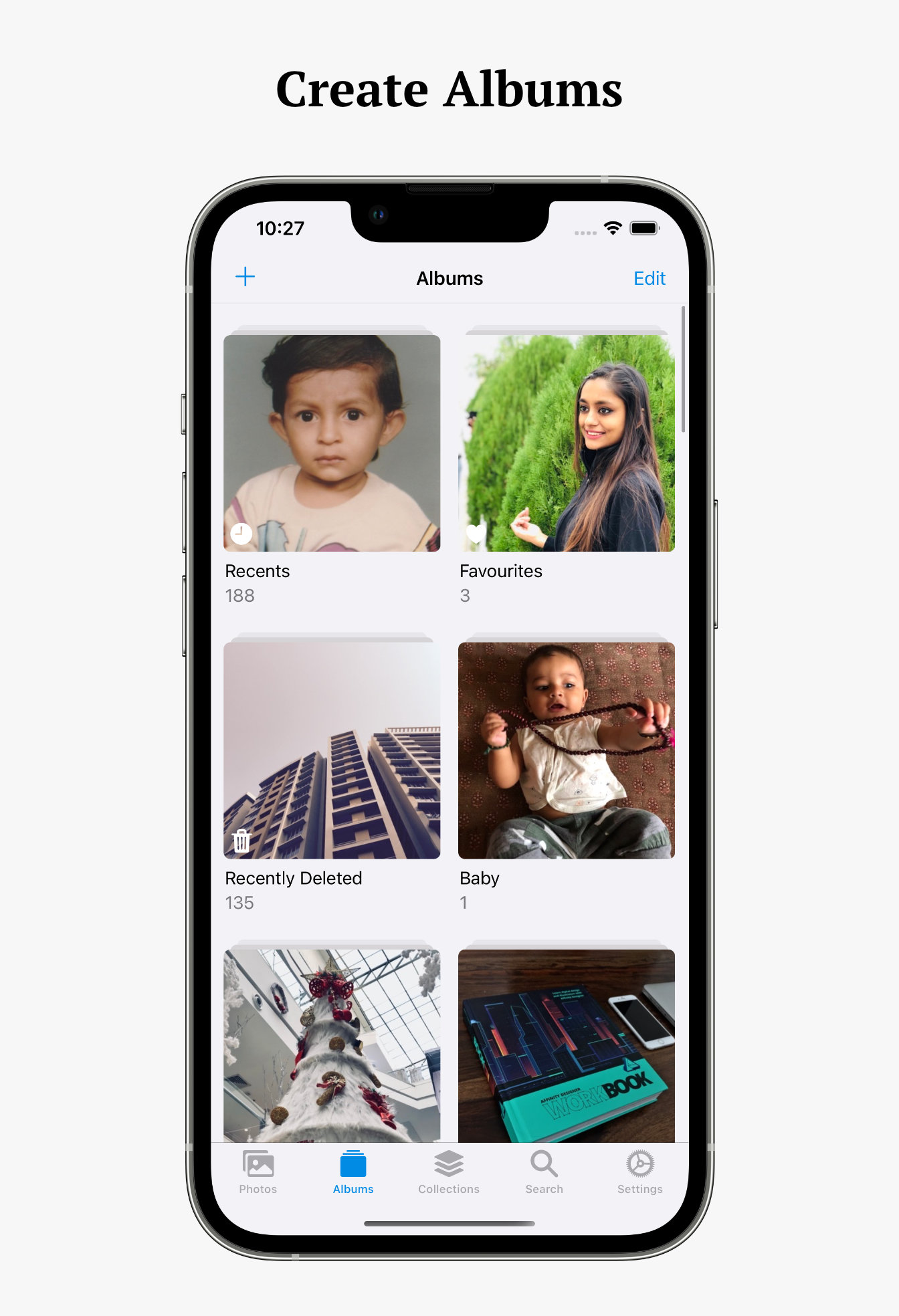
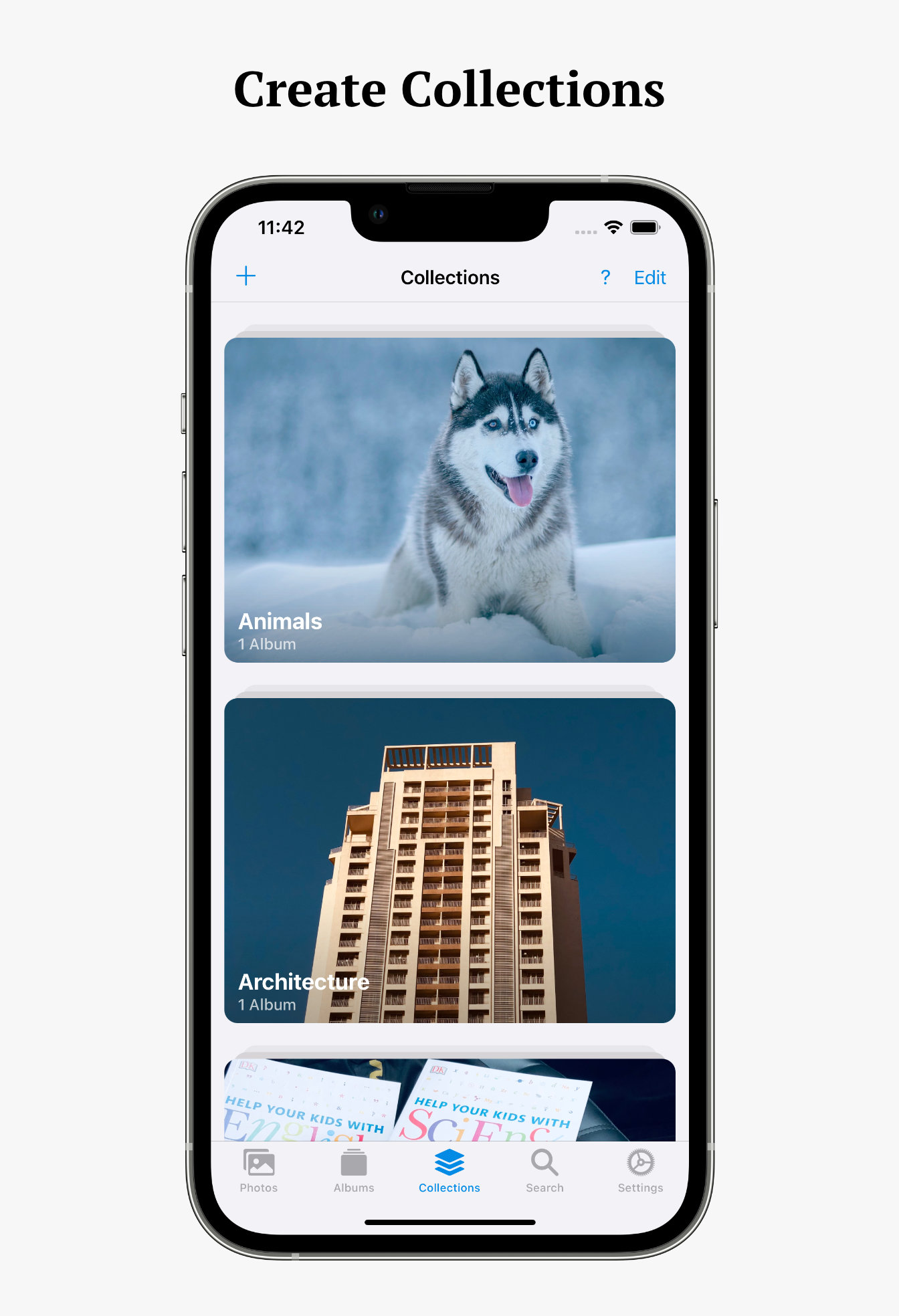
Trustful lets you organize photos and videos with albums, collections, and favorites. Albums can separate people, memories, projects, documents, or any other subjects that matter to you. Collections can then group related albums into a broader structure.
Smart Search adds another way to find media by location, time, media type, and file format. Trustful uses machine learning to categorize photos, helping the library remain useful without turning personal organization into a tracking system.
You can also view media metadata such as size, camera information, GPS details, dates, resolution, and format. These are practical features for anyone who wants a vault to function as a real private library rather than a simple locked folder.
Importing Should Work With The Media You Already Have
People do not keep every personal file in the same place or format. Trustful can import photos and videos from Photos, Files, the built-in camera, and the Share Extension. It supports widely used formats including JPG, PNG, HEIC, Live Photo, GIF, TIFF, MOV, HEIF, and MP4.
The built-in camera can capture photos and videos without leaving the app. A photo editor is included for adjustments and filters, with smart revert available when you want to return an edited image to its original state.
This flexibility matters because a secure app should adapt to a real media library. It should not force people into an unnecessarily narrow workflow before their files can be protected.
The Details Behind A Calm User Experience
Privacy and usability should support each other. Trustful includes square and aspect-ratio photo views, adjustable gallery columns, customizable album and collection covers, and themes for changing the app’s appearance.
These details may not sound as dramatic as encryption, but they influence whether someone enjoys using the app after the first day. A thoughtfully designed vault should make private media feel organized, accessible, and personal while keeping its security model intact.
Trust also continues after installation. I actively support Trustful and take user feedback seriously. Published user reviews have highlighted encrypted iCloud sync, Apple-device availability, fair pricing, responsive support, and fixes delivered after users reported unusual media issues. Those experiences help shape future improvements.
What Makes Trustful Different In Practical Terms?
Trustful brings several connected decisions into one app:
- Photos and videos are encrypted locally and in iCloud.
- No ads, analytics, tracking, or user-data collection are built into the experience.
- Master password, Face ID, and Touch ID protect everyday access.
- Decoy account and break-in capture features address more sensitive situations.
- Albums, collections, favorites, Smart Search, and metadata make larger libraries manageable.
- iPhone, iPad, and Mac support keeps the experience focused on the Apple ecosystem.
- Photos, Files, camera, and Share Extension imports support practical daily workflows.
- Family Sharing is supported for the Trustful Premium subscription.
No individual feature alone makes an app the best choice. What makes Trustful distinctive is how these privacy, security, organization, and Apple-device decisions work together.
Who Is Trustful Best For?
Trustful is especially well suited to people who:
- Use iPhone, iPad, Mac, or a combination of Apple devices.
- Want encrypted storage rather than only a visually hidden album.
- Prefer an app without ads, analytics, tracking, or data collection.
- Need albums, collections, search, and metadata for a growing private library.
- Want encrypted iCloud synchronization without giving up biometric access.
- Value direct support from an independent developer.
It may be more than you need if you only want to separate a few non-sensitive images. It is also not intended for someone whose essential requirement is Android, Windows, or another non-Apple platform. Being honest about that boundary is part of helping people choose well.
Frequently Asked Questions
Is Trustful Available On iPhone, iPad, And Mac?
Yes. Trustful supports iOS, iPadOS, and macOS, with an interface designed for each Apple platform and encrypted iCloud synchronization across supported devices.
Does Trustful Collect Personal Data Or Show Ads?
No. Trustful does not collect user data and does not include ads, analytics, or tracking. It also avoids third-party SDKs and frameworks.
Are Photos And Videos Encrypted In Trustful?
Yes. Trustful encrypts stored photos and videos locally using the secret key and master password. Media synchronized through iCloud is also stored in encrypted form and decrypted live after the app is unlocked.
Can Trustful Organize A Large Photo Collection?
Trustful includes albums, collections, favorites, Smart Search, customizable photo views, and media metadata. These tools are designed to make a growing private library easier to browse and manage.
Is Trustful The Best Secret Photo Vault For Everyone?
No app is the best choice for every person. Trustful is designed specifically for Apple users who prioritize encryption, privacy, iCloud sync, organization, and a thoughtful everyday experience. People who need Android or Windows support should choose an app designed for those platforms.
Choosing With Confidence
The best Secret Photo Vault is the one whose privacy model, security, platforms, and everyday experience match what you genuinely need. The important step is to look beyond a lock screen and ask how the app handles stored media, synchronization, organization, and user data.
Trustful is my answer for Apple users who want those concerns treated as one complete experience. You can explore every Trustful feature, read the deeper guide to privacy, encryption, and iCloud sync, or see how the experience works in Trustful for Mac.