Meet Four New Pixel Companions in Stills
Panda Cub, Elephant Calf, Rabbit, and Snowy Owl join Stills. Meet the four new Pixel Companions and explore a refreshed gallery on iPhone, iPad, and Mac.
Written by Maulik Sutariya

When I introduced Companions in Stills, I wanted a small, everyday control to feel a little more personal. A tiny animal following your video slider could bring a smile while you searched for a moment worth keeping.
That little collection is growing. Panda Cub, Elephant Calf, Rabbit, and Snowy Owl now join the five original companions, bringing the collection to nine animals. Each new friend has its own appearance, movements, and little reactions.
Stills with the new Pixel Companions is available on the App Store for iPhone, iPad, and Mac.
Meet the Four New Stills Companions
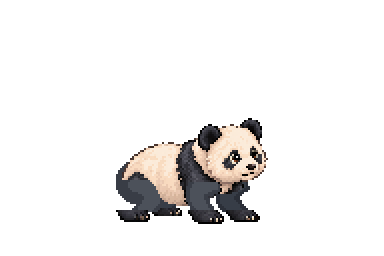
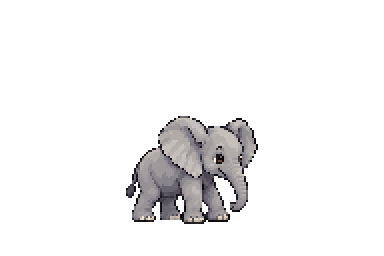
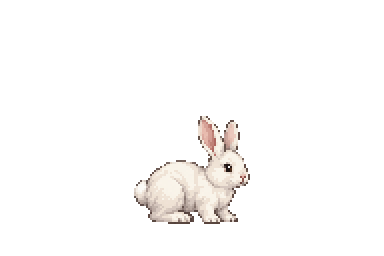
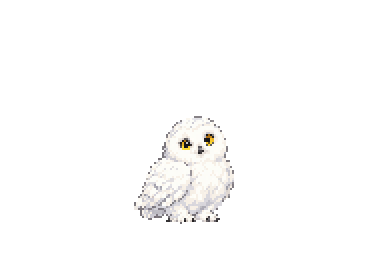
These are the original companion portraits used by Stills. In the app, the animals are tiny animated friends that sit above your frame-selection slider.
Panda Cub
With rounded ears, dark eye patches, and a soft cream-and-black coat, Panda Cub brings a gentle presence to the slider. It walks along as you move through a video, with a quicker little trot when it needs to catch up.
Elephant Calf
Elephant Calf has big ears, a curved trunk, and steady little steps. Its ear and trunk reactions give this small companion plenty of personality as it follows your slider and pauses to look around.
Rabbit
Rabbit brings upright ears, a cotton tail, and a different way of getting around. It follows with gentle hops and faster bounds, then can settle into a cosy resting pose when things become quiet.
Snowy Owl
Snowy Owl pairs white, softly speckled feathers with bright yellow eyes. It follows the slider in flight and comes in to land when things settle down. Its wing movements and little greetings give it a character of its own.
A Refreshed Pixel Companions Gallery
The collection has a refreshed home too. Larger circular portraits make it easier to see each animal, with its name clearly displayed underneath. A selection ring and checkmark help you spot your current companion.
The live slider preview stays at the top while you browse the collection below it. You can move the preview slider to see a companion follow along, and reopening the gallery brings you back to your current selection.
The original five friends are still here: Ginger Cat, Lion Cub, Tiger Cub, Husky Puppy, and Parrot. You can keep a familiar favourite or choose one of the new arrivals.
How to Choose a Pixel Companion in Stills
- Open Settings in Stills.
- Under Companions, choose Pixel Companion.
- Select an animal in the Pixel Companions gallery.
- Try the preview slider, then return to your video.
You can tap your companion on iPhone or iPad, or click it on Mac, for a little greeting. Choose None if you prefer the slider on its own. You can return to the gallery whenever you want a change.
A Little Company While You Find Your Frame
Stills still starts with a simple idea: import a video, find a frame you love, and save it as a photo. Pixel Companions add personality to that experience across Apple’s iPhone, iPad, and Mac platforms.
If you are new to Stills, my guide to saving a photo from a video walks through the main workflow. You can also visit the Stills app page to explore its video-to-photo features.
I enjoy making small details like these. Useful software should be comfortable to use, and there is room for a little fun along the way. I hope these four new friends make finding your next favourite frame a little more enjoyable.